Watchers Overview
ADBLogger enhances your development workflow with a robust Watchers system, designed to alert you when specific log conditions are met. Stay proactive during debugging by setting up notifications based on customized log criteria.
Setting Up and Managing Watchers
Watchers are advanced monitoring tools that notify you in real-time when logs match predefined criteria. They are pivotal for tracking specific issues as they arise during development or testing.
Accessing Watchers
- Open the console toolbar and click the Watchers toggle. This displays all configured watchers for the active device.
- Watcher configurations are saved per device in
../ADBLogger/Configs/Consoles/Watchers, with each configuration named after the corresponding device ID.
Creating a New Watcher
Manual Setup: Click the [+] button at the top of the watchers list view. This launches a configuration popup:
| Field | Description |
|---|---|
| Name | Identifier for the watcher |
| Notifications | Types of notifications to receive (beep, console log, etc.) |
| Criteria | Trigger conditions based on Log Tag, Message, PID, TID, and Log Level |
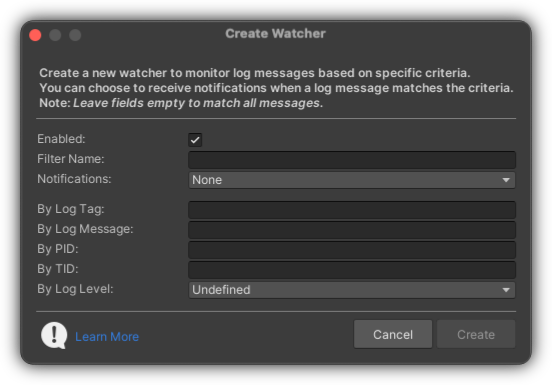
Empty Fields
Leaving any field empty means the watcher will trigger on any log that meets the other specified criteria.
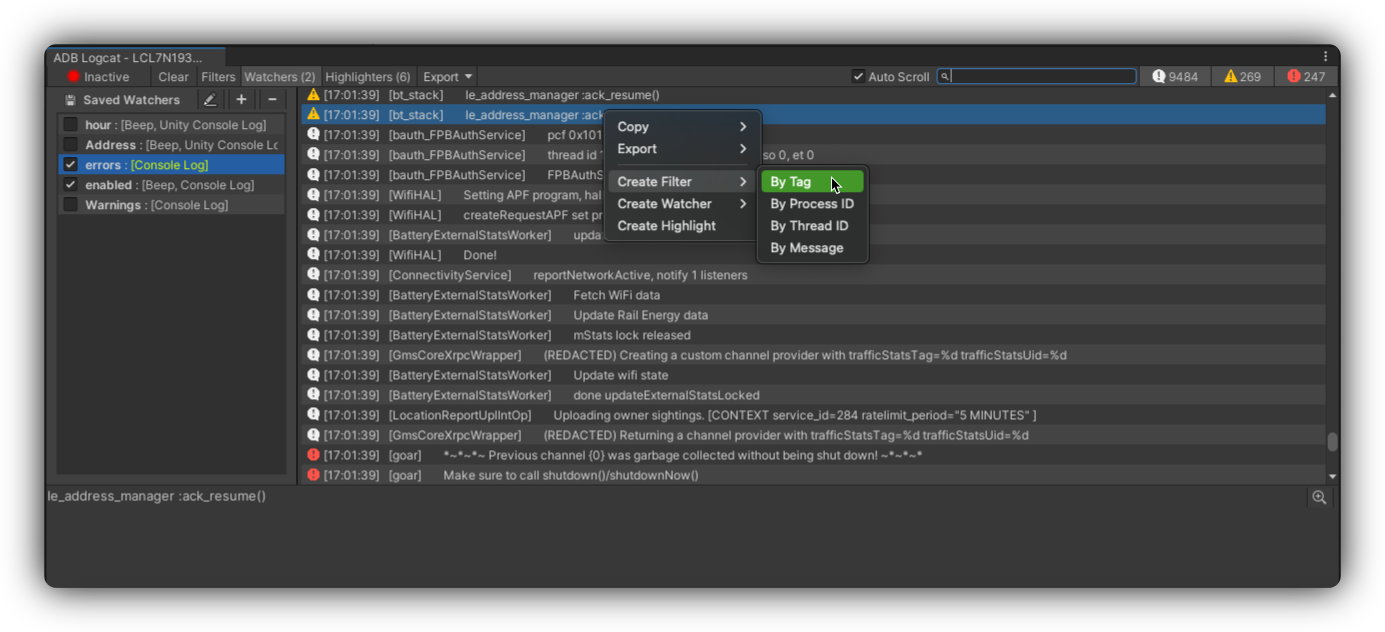
Contextual Shortcut: Right-click a log entry in the console and select Create Watcher. This automatically populates the watcher's criteria based on the selected log's properties.
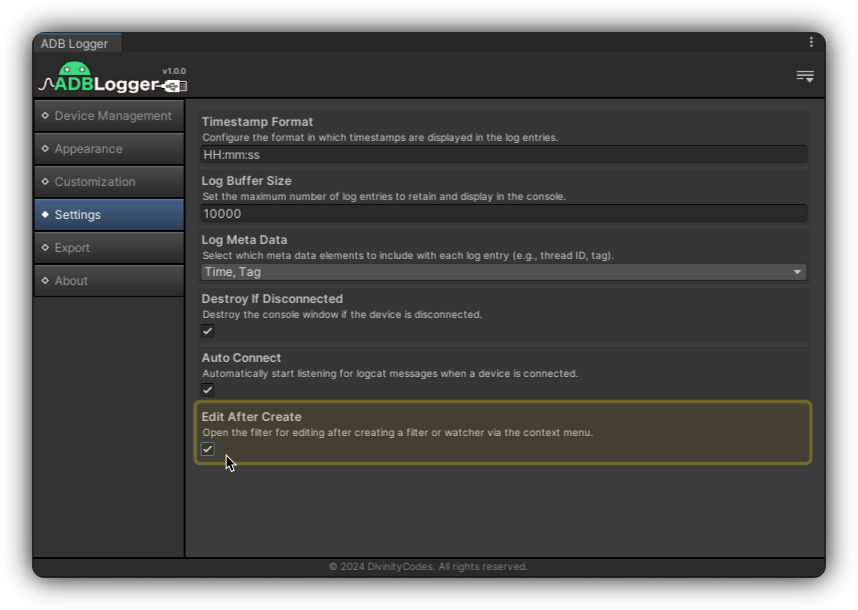
Edit After Create
Enable the Edit After Create preference to automatically open the edit popup for newly created watchers.
Notification Types
Customize how you receive watcher notifications:
| Type | Behavior |
|---|---|
| Beep | Emits an audible alert when a watcher triggers |
| Unity Console Log | Logs watcher details in Unity's console |
| Animate | Visually highlights the relevant log entry |
| Shell Command | Executes a predefined command on trigger |
These notification methods can be used individually or in combination.
Editing and Deleting Watchers
| Action | How |
|---|---|
| Edit | Select a watcher and choose Edit from the right-click menu |
| Delete | Select a watcher, choose Delete, and confirm |
Best Practices
- Regularly Update Watchers: As your project evolves, update watchers to keep them relevant.
- Manage Notifications: Customize notification settings to avoid unnecessary interruptions.
Use watchers with filters and highlighters, or return to the console overview.
For additional guidance, visit our Support section or consult the FAQ.